Cedrus / Takeoffs

The takeoff system.

Five categories. Fifteen tools. One coherent system for turning a PDF blueprint into a measured, priced, bid-ready estimate — without ever leaving the canvas.

Inside a wood-framed residence — studs, plates, and sheathing ready for the trades

The system

Built for the bid, not the clip-art version of a jobsite.

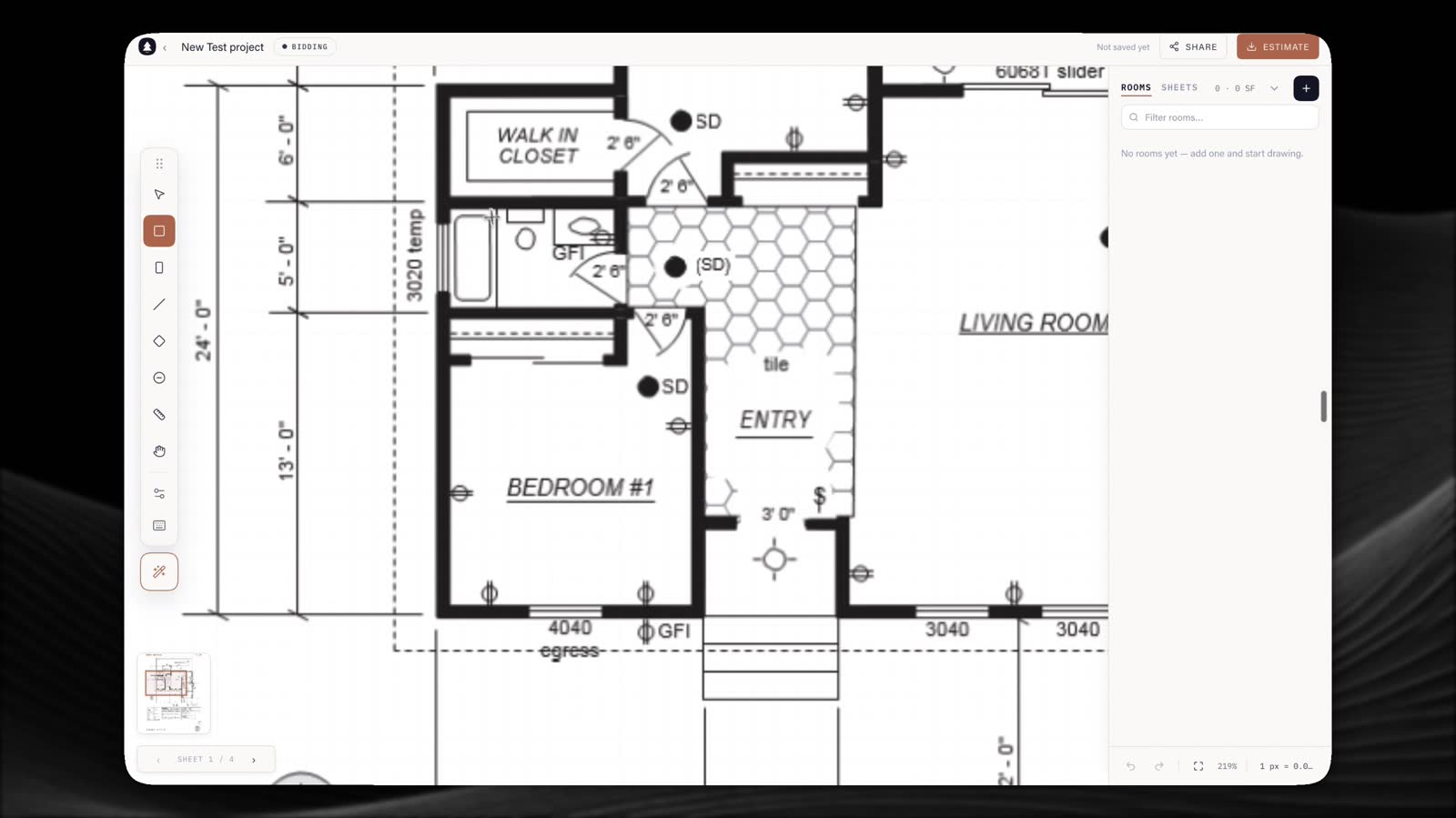
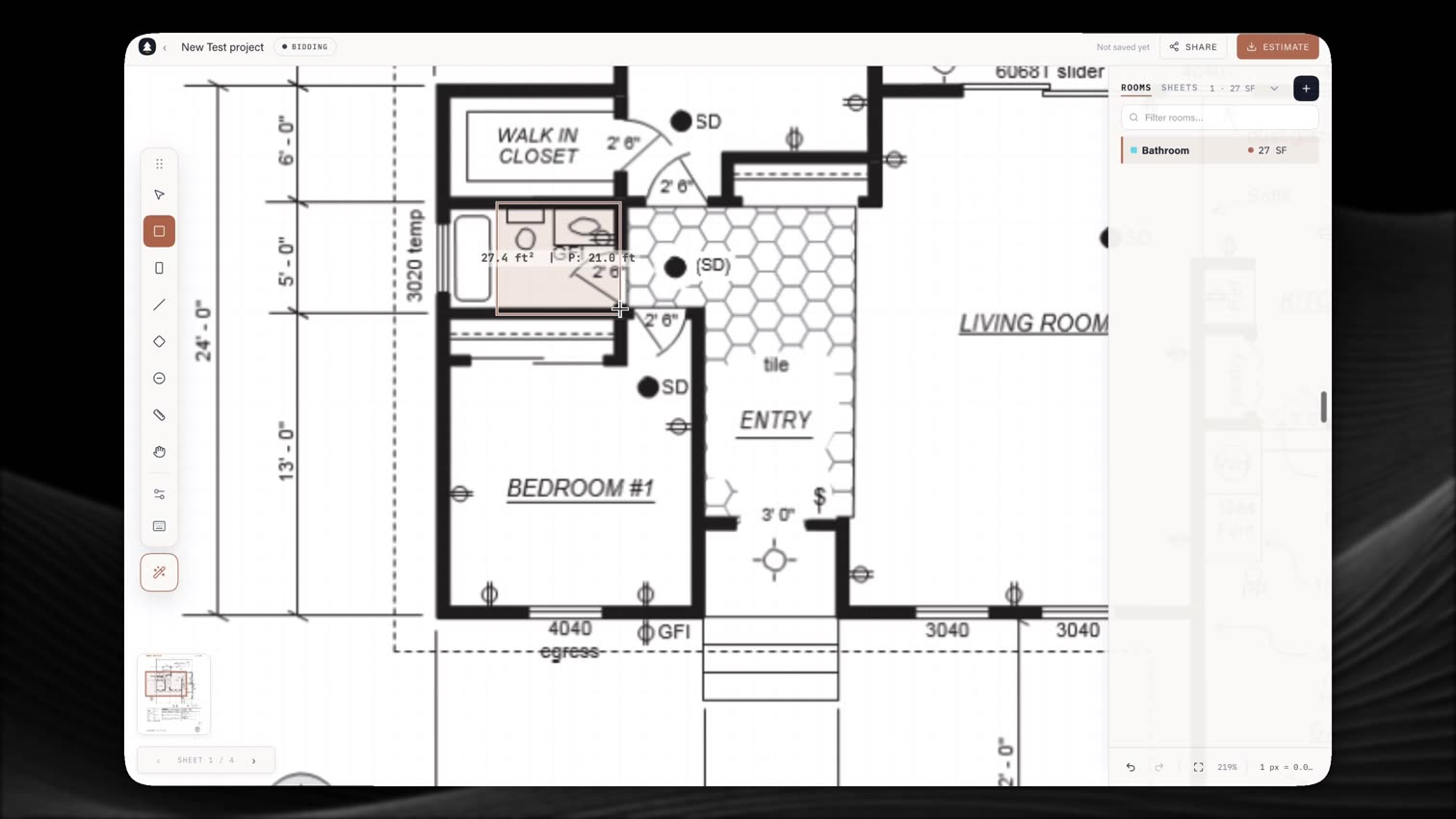
Cedrus Takeoffs runs on a single canvas model: upload a multi-page PDF, pin the scale, and every measurement you draw flows straight into rooms, assemblies, and the estimate without a spreadsheet in between. What's on this page is the working set — the tools an estimator actually reaches for on a live bid.

01

Blueprint Management.

01a

Multi-Page PDF Upload

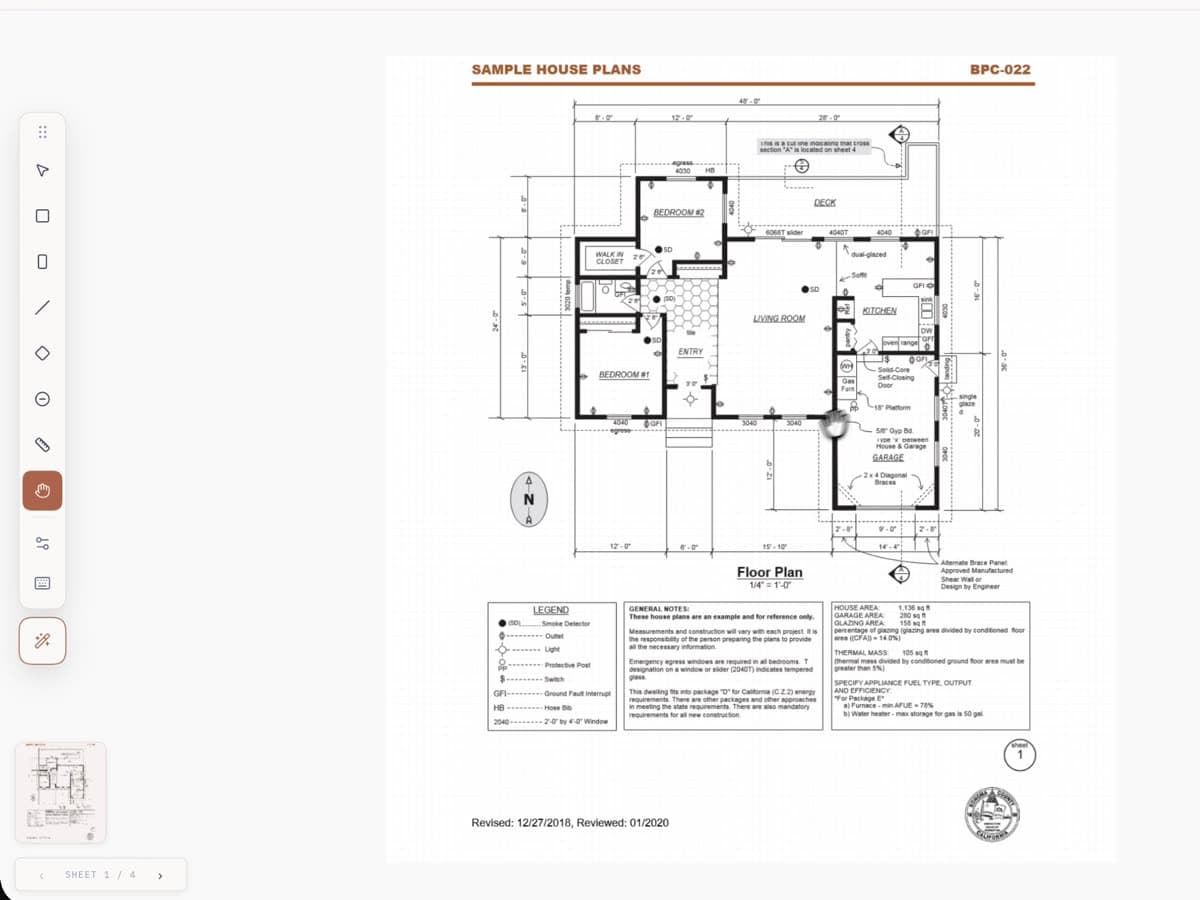
Import entire blueprint sets as multi-page PDFs. Navigate between pages seamlessly on an interactive, zoomable canvas.

01b

High-Resolution Rendering

Progressive resolution up to 6x (432 PPI) that dynamically adjusts based on your zoom level. See every detail clearly.

01c

Accurate Scaling

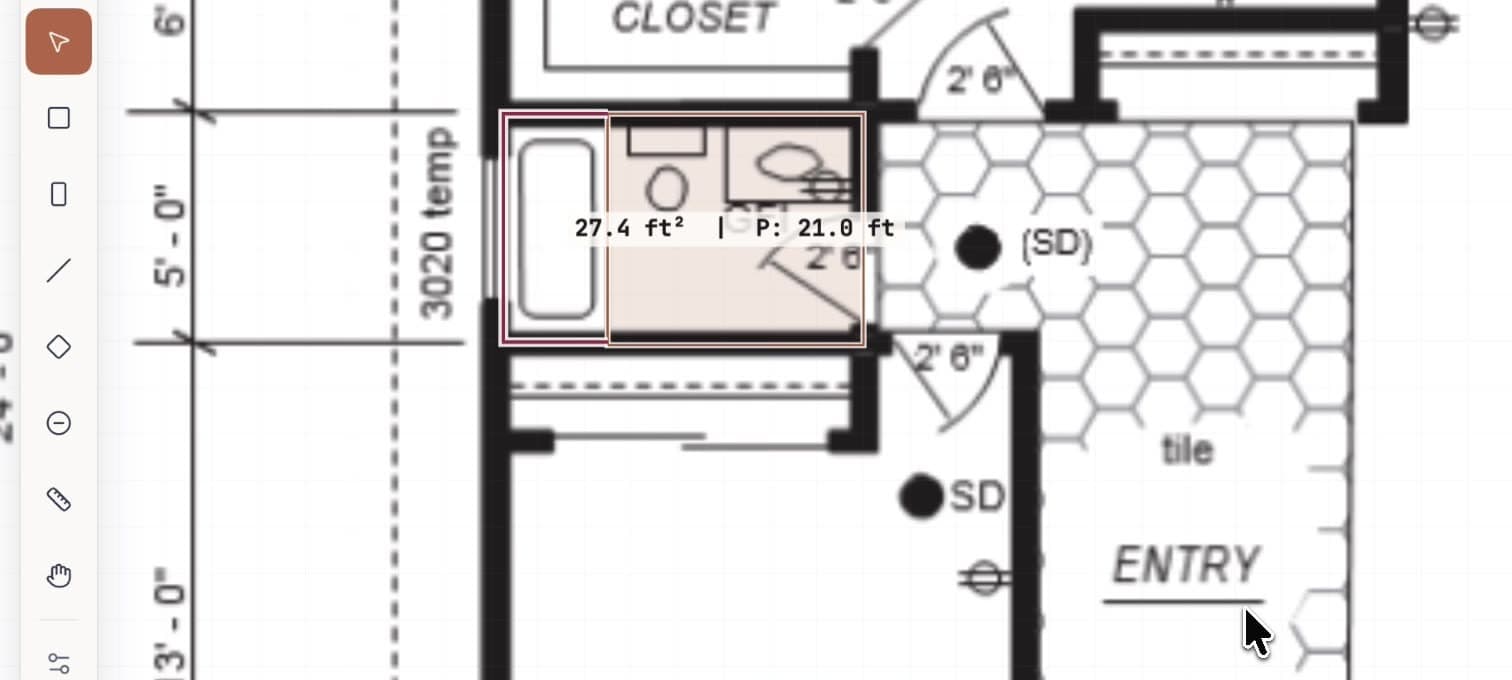
Set scale from known dimensions on the blueprint. Switch between imperial (ft) and metric (m) units at any time.

02

Measurement Tools.

02a

Area Measurement

Draw polygons to measure floor, wall, shower, backsplash, and accent areas. Supports manual area overrides for irregular shapes.

02b

Linear Measurement

Measure linear feet for Schluter edges, heat wire runs, and other linear items. Manual linear foot overrides supported.

02c

Count Markers

Place count markers for individual items like niches, benches, and drains. Group by label and room for organized takeoffs.

03

Estimation & Pricing.

03a

Assembly-Based Pricing

Define assemblies per category (floor, wall, shower, backsplash) with per-sqft rates. Add-ons for waterproofing, Schluter, heat wire, and more.

03b

PDF Estimate Export

Generate professional, branded PDF estimates with per-room breakdowns, waste factors, markups, and material allowances.

03c

Shareable Work Orders

Generate secure, tokenized links for subcontractors to view their scope and rates — no login required. 30-day expiry, access tracking.

04

Team & Collaboration.

04a

Real-Time Collaboration

Work on takeoffs simultaneously with your team. See live cursors, active tools, and instant edits. Powered by Supabase Realtime.

04b

Role-Based Access

Granular roles: admin, company admin, estimator, and client. Control who can edit projects, manage pricing, and invite users.

04c

Mobile Support

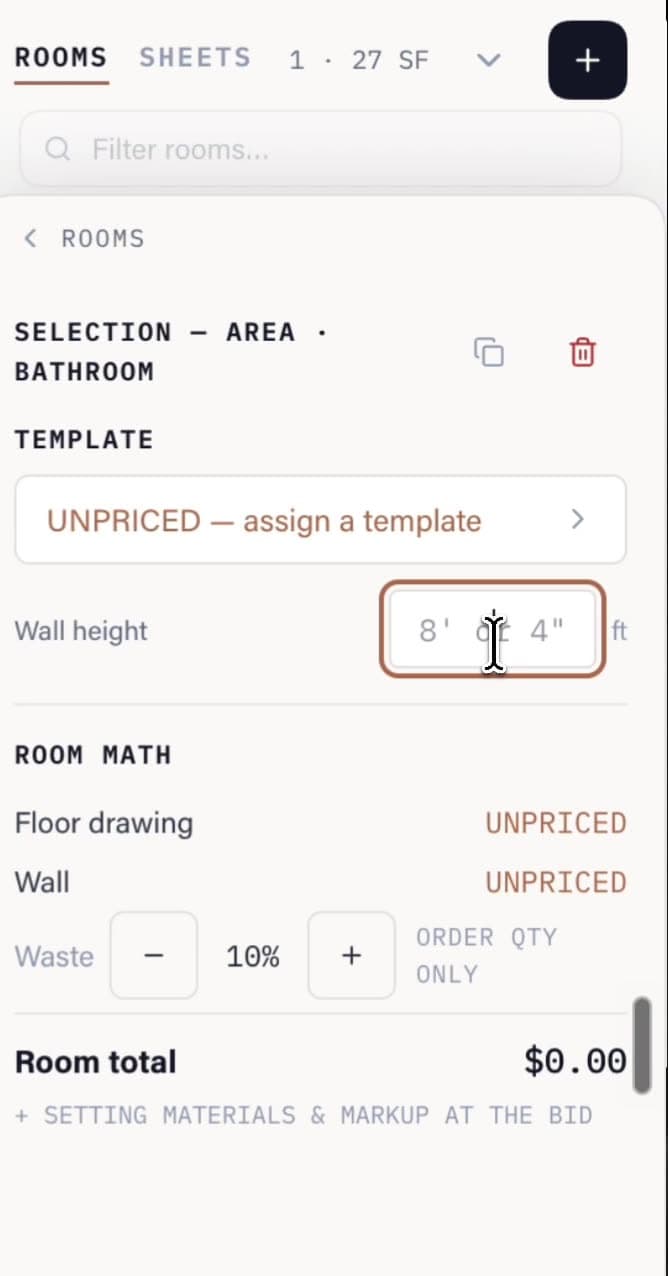
Review takeoffs on your phone. Browse rooms, view measurements, check estimates, and edit properties with a touch-optimized interface.

05

Performance & Reliability.

05a

Autosave

Configurable autosave (15s / 30s / 60s) with comprehensive change detection. Never lose your work. Saves on tab switch and before close.

05b

Progressive Loading

Only the current page loads initially — remaining pages load in the background. Get to work instantly, even on large blueprint sets.

05c

Context-Aware Defaults

Smart room name detection automatically selects the right drawing category and suggests relevant add-ons based on room type.

06

Vendors.

The vendor layer of the suite ties assemblies to the people who supply them. Add a tile vendor, a stone yard, a Schluter distributor; pin per-SKU pricing and lead times once, and every assembly that uses that material picks the number up. The same record powers the shareable subcontractor work order — your sub sees the rooms, the scope, and the line items, never the margin. Pricing changes propagate to open estimates instantly. The marketplace layer that lets you order from a vendor without leaving the estimate ships next.

07

Schedule.

The schedule module reads the same project record the takeoff writes to. Bid date, mobilization window, install duration, crew availability — set once, and every other module honors it. When a takeoff changes scope, the schedule notices; when the schedule slips, the bid does too. Designed for the way small crews actually plan a season: ten projects on a wall, drag to reorder, color by trade, sync to the firm calendar. Shipping after the vendor layer is stable.

08

Margins.

Markup, waste factor, and material allowance are first-class on every estimate today. The Margins module makes them auditable: set markup per trade, per project, or per assembly; see the effective margin on every line as you draw the takeoff; flag the bid when realized margin drops below a floor you set. Historical pricing trends sit alongside the live estimate so a past job’s actuals inform the next bid’s number. The point isn’t a fancy P&L dashboard — it’s a guardrail you can’t accidentally bid under.

An overhead view of a residential construction site mid-frame — foundations, steel framing, and flat roofs under the Colorado sun

One data model

Every tool in the suite is built on the same canvas.

See it in action

Start a takeoff.

Free to try. No credit card, no demo call. Bring a PDF.